

October was about everything around the game. Your sessions now live inside events, every game can teach itself in 30 seconds, players bring their own faces, and hosting from one screen got a proper lobby. Templates got easier to find, Trivia got a new question type, and your own question sets can now show up in every session you host. Here's everything that shipped.
Events: one place for your whole programme
Every session now sits inside an event
A game night is rarely one game. There's a warm-up, the main quiz, maybe a round of Charades once dinner's cleared. So every session you create now lives inside an event, and Events has taken the place of Live Sessions in your dashboard.
Choose Create Event, give it a name, and pick Start now or Schedule it. Then add your experiences one after another: a Live Session where everyone plays on their phone, or a One-Screen Session you run from a single screen. Press Done and your event is ready.
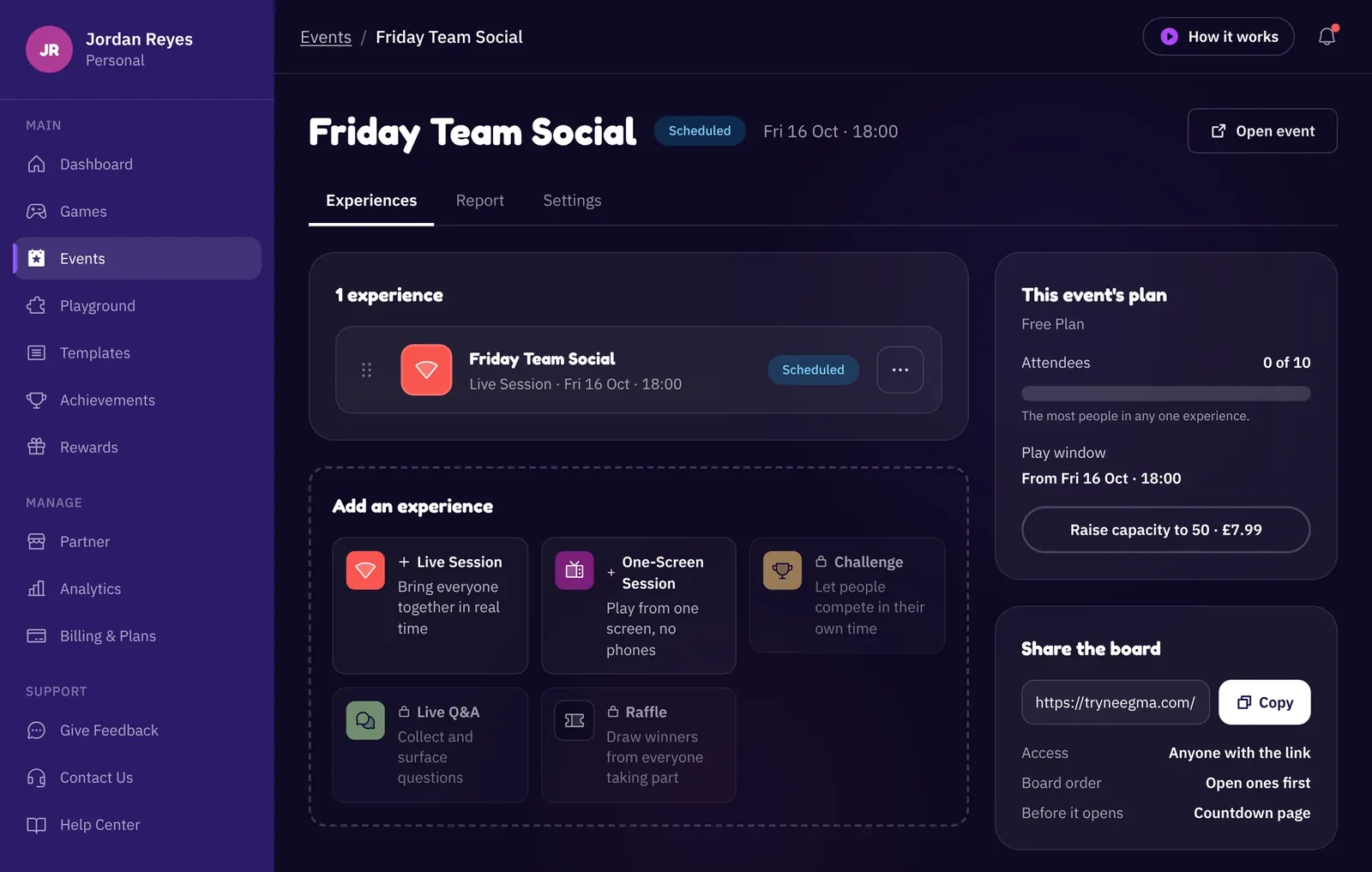
From the event page you can:
- Add more sessions to the programme, and drag them into the order you'll play them
- Reschedule the whole event in one go
- See a report for each session in the Report tab
- Duplicate a finished event to run it again next month, with the same running order
One link for your guests
Every event has one link. Share it and your guests see everything on the programme, with a countdown until it starts. When it's time, they pick what's happening and jump straight in. No more sending a new join link for every round.
You'll also spot Challenge, Live Q&A and Raffle cards with a lock on them. They're in testing now and coming to events soon.
Learn any game in 30 seconds
Every Neegma game now has a 30-second how-to film. Press the gold How to play button beside Start before your first round and it plays large on your screen, with sound, so the whole room learns the rules together. Games that play both ways have a Live and a One host version, and Neegma plays the one that matches your session.
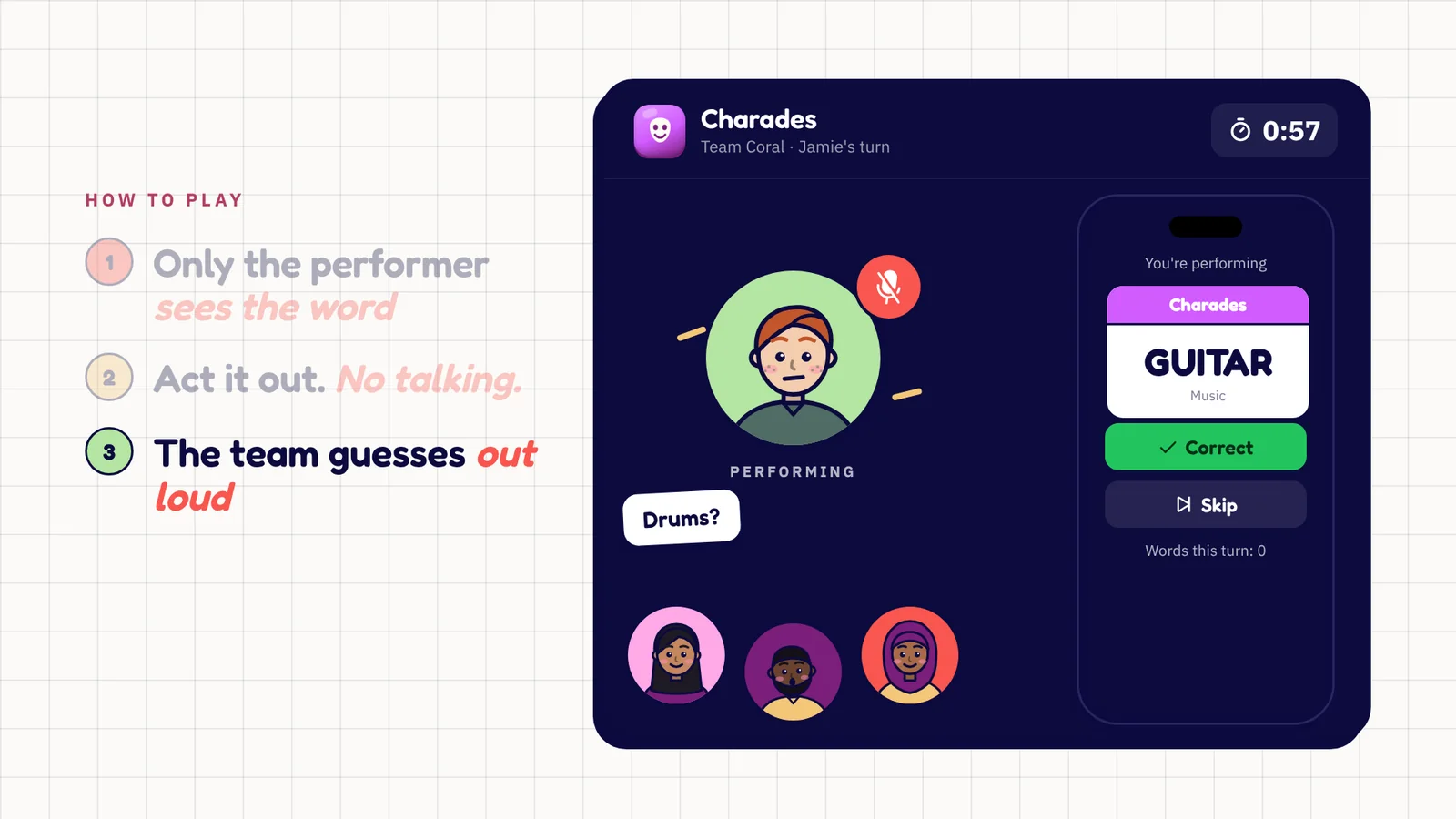
Need a refresher mid-game? Tutorial in the top bar opens the film at any time, for you and for your players. Every game page has its film too, so you can see what a game is like before you pick it. More in Learn any Neegma game in 30 seconds.
Player avatars
While they wait in the lobby, players can now swap their initials for a cartoon avatar. They pick a skin tone, hair, headwear, glasses and colours, or tap Surprise me, and their face pops up on your screen in moments. It follows them onto the leaderboard, the final podium, their winner card and turn games like Charades and Taboo.
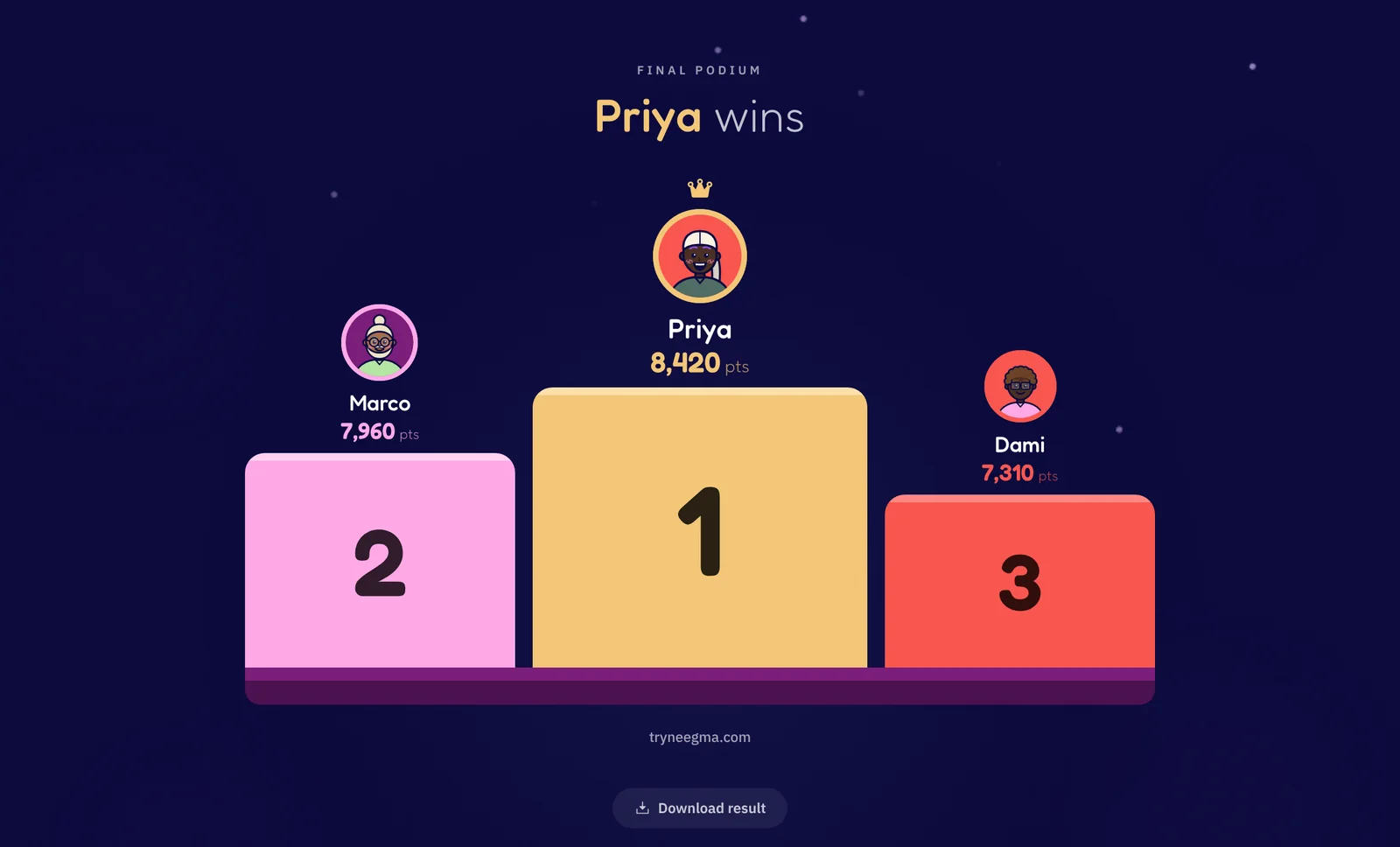
Avatars are drawn from options, never uploaded photos, so nothing personal ends up on the big screen. Guests keep theirs on the phone they made it on, and players with an account keep it on their profile. Read A face for every guest for the full tour.
A new lobby for managing who's playing
Hosting from one screen
The one-host lobby has been rebuilt. Instead of setting a headcount, you now add who's playing by name:
- Type names straight in. Press Enter and the next box is ready.
- Paste a whole list. Separate names with commas or paste a column from a spreadsheet, and everyone's added at once.
- Rename or remove anyone right in the list.
A team is just a name now, too. Your players and your teams are kept side by side, so you can switch between players and teams between games without retyping anyone. In team games, turns, scores and the podium all go to the team, and Charades and Taboo ask each team to send someone forward.
And in live sessions
The live lobby got the same care. You can now remove a player in two taps. And when someone drops out and wants back in, they ask from their phone and you accept them, so you always know who's back in the game.
Templates: more to choose from, easier to find
New ready-made templates
We added a batch of ready-made Neegma templates in October, each a full running order of three games:
- Halloween: Pumpkin Patch Family Party, Midnight Mischief Friends and two more
- Thanksgiving: Around the Thanksgiving Table, Friendsgiving After Dinner and two more
- Christmas: Christmas Eve Family Party, Christmas Hall Team Challenge and two more
- Pub nights, game nights and teams: The Proper Pub Quiz Starter, Your First Sofa Social, A Warm First Hello and more
Our Halloween, Thanksgiving and office Christmas party guides each walk through the seasonal picks.
Search and filter by occasion
The templates page now filters by occasion, from Christmas, Halloween and Thanksgiving to birthdays, weddings and game nights, and by free or paid. Search matches tags as well as titles, and every filtered view has its own link, so you can send a co-organiser straight to the Christmas templates.
A searchable library when you build your own
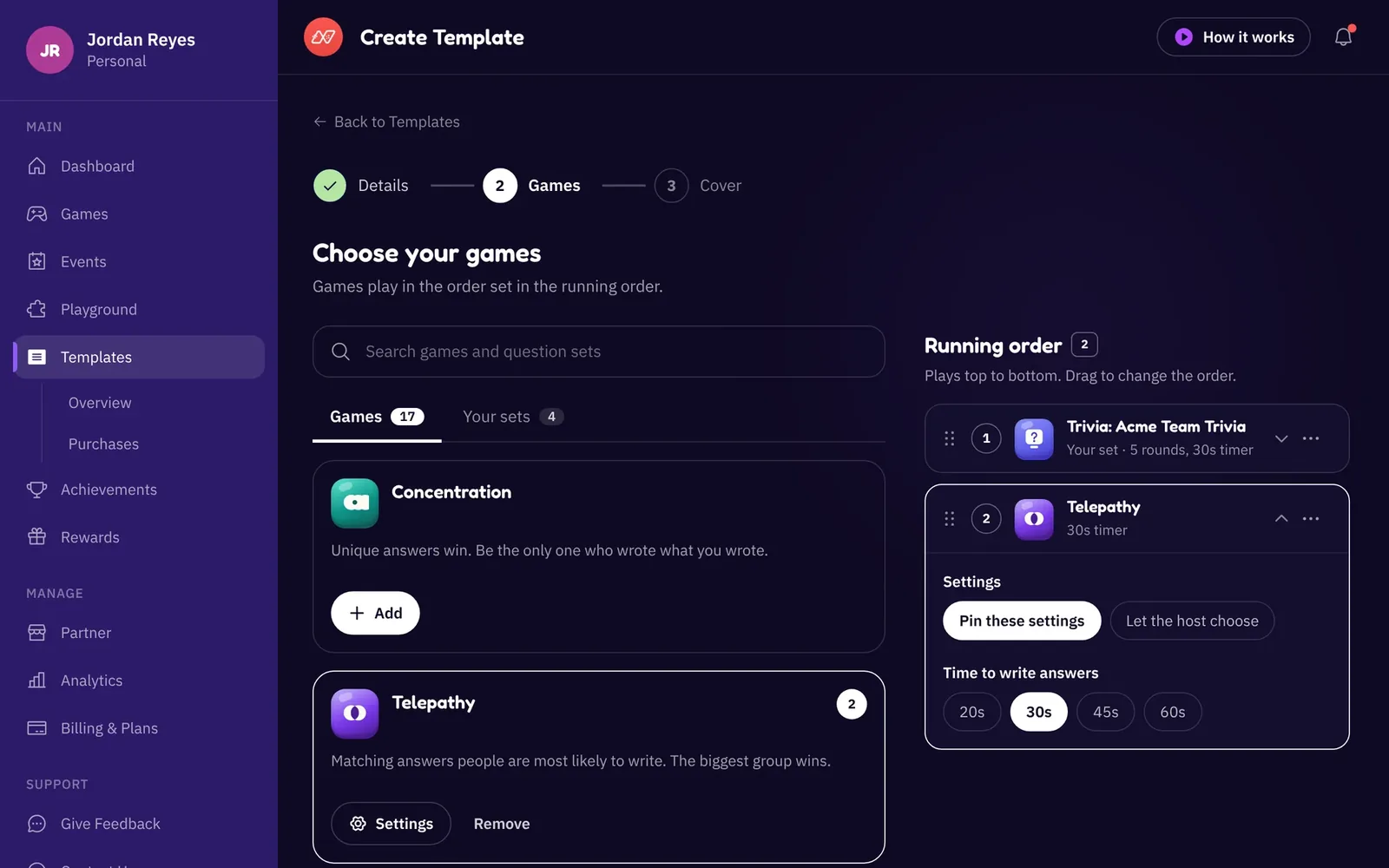
The template builder's games step is now two panes. On the left, one search across games, your own question sets and Neegma's sets. On the right, a running order you drag into shape, with each game's settings a tap away. You can also tag your templates in your own words, or pick an occasion chip, so they're easy to find later.
Ratings and reviews
Bought a template? You can now give it 1 to 5 stars and a comment from its page. Ratings show on every template card and page, so you can see how a session went for other hosts before you buy. Reviews show a first name and initial, never a full name. Our guide to Neegma templates covers the rest.
Put any question set in every session
You no longer need a template to play your own questions. The Playground now groups your sets by game, with one search across your sets and Neegma's. Switch on In every session you host and that set appears in the game list of every session you run.
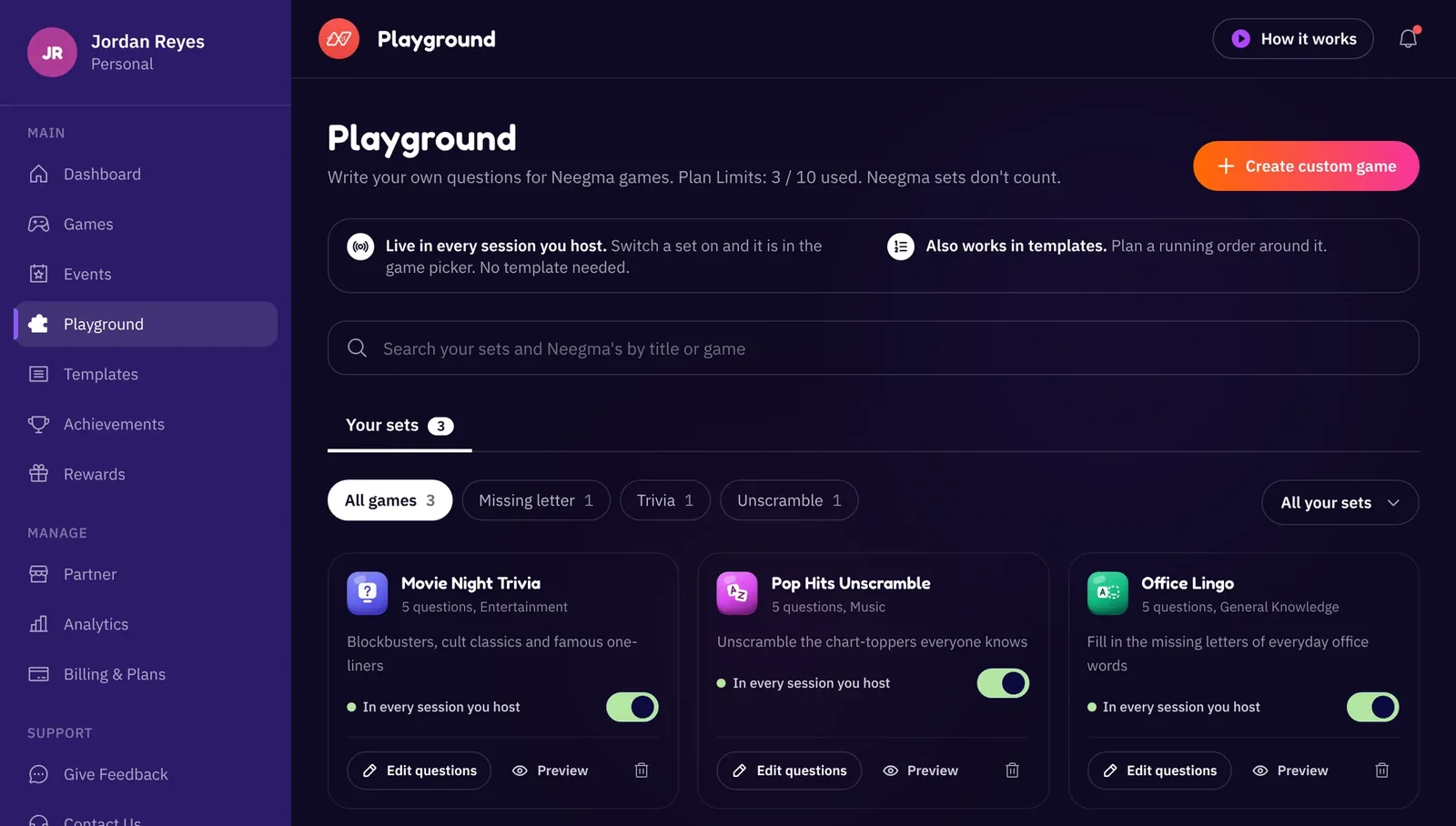
Neegma's ready-made sets work the same way: add the ones you want and leave the rest out of your list. Open a session and your sets are right there in Choose Your Game, next to the regular games.
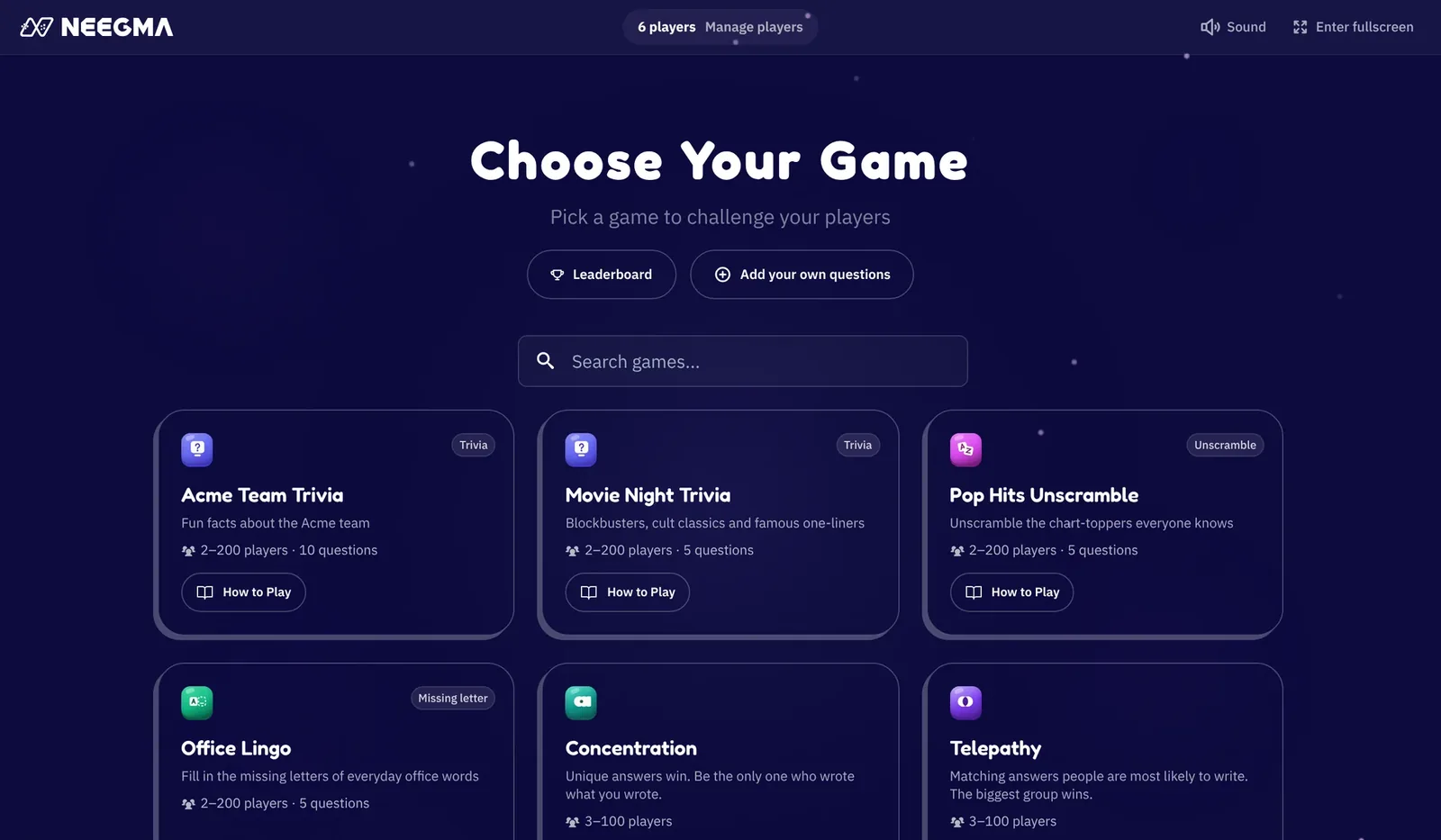
A set needs at least five questions to play. If one's a little short, the game list shows it under Needs more questions and tells you how many to add, instead of quietly leaving it out. New to the Playground? Start with how to create custom games.
True or False in Trivia
Trivia now takes true or false statements. Players get two big True and False buttons, and one tap sends their answer. Any question with a single choice now sends on one tap too, so rounds move faster.
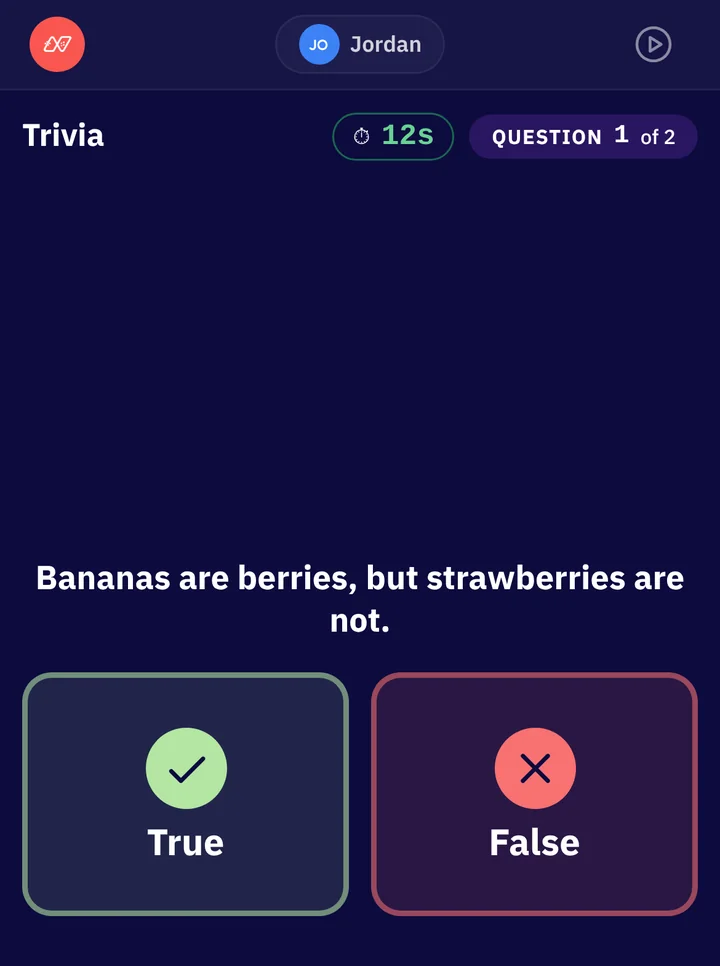
Write them by hand in the Playground, import them from a CSV, or ask AI for them. Our guide to true or false quiz questions has tips for writing ones that split the room.
Smaller things that make hosting easier
- A short film on every dashboard page. Events, Playground, Templates, Analytics, Billing & Plans and Partner each have a tutorial of about a minute, shot on the real dashboard. Press How it works in the top bar to watch it.
- A getting-started checklist. New hosts get a checklist on their dashboard home that ticks itself off as they go, from the dashboard tour to their first event.
- Find the Mole plays fairer. After the deal, a short thinking timer runs (30, 45 or 60 seconds) and then Neegma names a random player to speak first. With two or three Moles, players can vote for every Mole they suspect, and the game now adds one Mole for every 8 players. Play Find the Mole.
- Villagers and Wolves, rebuilt. Villagers and Wolves now ends by itself, with the winning side and every role on screen and 1,000 points for each winner. Ties go to a revote, and you can choose the number of Wolves, switch Romeo and Juliet on or off, and decide whether roles are revealed when someone goes out.
- Hosting from your phone looks better. Text, spacing and buttons are sized for phone screens, and the lobby is tidier when your phone is the host screen.
- New names for Party plans. The four sizes are now Party, Party Plus, Party Grand and Party Max. If more guests turn up than you planned for, you can move up a size from the lobby and keep your 24 hours. See which Party plan you need.
Every update, big and small, lives on the releases page. If there's something you'd like us to build next, tell us on the feedback page.
One more thing: Personal and Business accounts
Some of you host a team social on Thursday and a birthday on Saturday. So every Neegma account is now either Personal or Business. You'll see which one you're in at the top of your dashboard's sidebar, and you can switch any time in Settings: under How you use Neegma, choose For work or For personal use.
That's all we'll say for now. There's more coming for each kind of account, and we'll share it soon.