
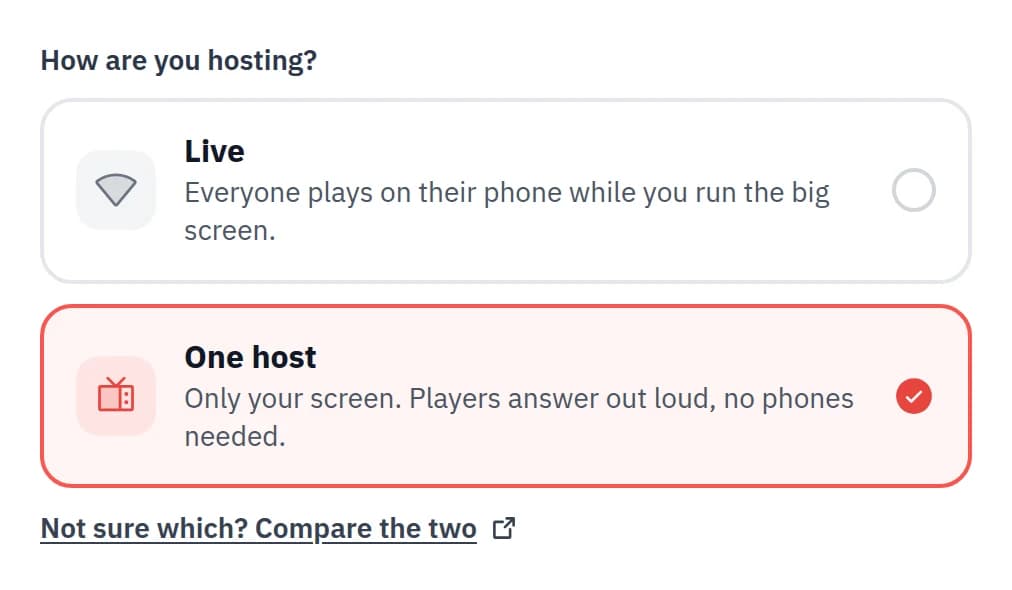
Neegma can now run from a single screen. It's called a One-host session: no player phones, no join links, and no Wi-Fi needed in the room. Gather everyone around, and the host runs the session from one device.
What is a One-host session?
A One-host session lets everyone in the room play from a single screen. Nobody needs a phone, a join link, or an internet connection to take part.
The host reveals each prompt on their screen, the room answers out loud, and the host taps what happened. It's the same Neegma games you already know, just played together in the room.
How it works
When a host starts a One-host session, there are no players to invite and no names to collect. Instead, the host sets a headcount: how many people or teams are playing in the room.
You can play with up to 10 people individually, or split a larger group into 2 to 5 teams of any size. Each game can have its own setup, so you can move from individual play to teams within the same session.
Scoring can be switched on for a running leaderboard, or off for a more relaxed round. The host controls the pace throughout: reveal the prompt, mark what happened, and move on when ready.
The different ways to play
Eleven games currently work as One-host sessions, each with its own way of playing:
- Act it out: Charades, Taboo, Song Association, and Word Art. The player sees the prompt, the room reacts, and the host marks it correct or moves on. In Song Association and Word Art, a miss can open a Bonus Round steal for the next team.
- Hot Seat: Odd One Out, Missing Letter, and Unscramble. Each question goes to one player or team in turn. When the clock stops, the host reveals the answer and taps Got It or Missed, and a right answer scores 1000 points.
- Trivia: Run through a question set on screen for as long as you want, whether it's a quick quiz or a full round.
- Shared prompt: Telepathy, Who Said It, and Concentration. Everyone answers the same prompt on the host's device, and the answers are revealed together on screen.
You can use a prewritten Neegma question set, or bring your own by creating one in the Playground. With your own set, Missing Letter, Odd One Out, and Unscramble can also run on a loop: turn on Skip adding players and the questions cycle on screen with no scores to keep.
Templates work in One-host sessions too. Any game in a template that needs player phones shows as unavailable, so you can still see the running order it intended.
Who it's for
- Game nights: Birthdays, family gatherings, or a night in with friends. Nobody needs to download anything or hand over a phone just to play.
- Events: Live shows, stage games, conferences, and other events where you want everyone playing from the same screen.
- Teams: Office socials and team-building sessions without asking everyone to install an app or join a session.
- Groups: Classrooms, clubs, and community meetups. Set up a quiz or icebreaker and get everyone playing from one screen.
Getting started
Create a new session, choose One host instead of Live, set your headcount, and pick a game. Planning ahead for an event? Schedule the session and you still get a printable poster, just without a QR code, because nobody needs to join.
For game ideas and room-by-room setups, read our guide to party games without phones. See it in more detail on the One-host sessions page, or start a session right now.