
The prizes are on the table. The audience is watching. You press the button, and the winner is “Alex.” Three people stand up.
A random name picker for events helps select an entry, but it cannot fix an unclear entry list or an unexplained collection rule. A good live prize draw starts before the animation and finishes after the winner has received the right prize.
This guide covers that practical workflow: choosing a tool, collecting names, preparing the screen and keeping the handover organised. It is intended for hosts planning an event activity, rather than a paid-ticket lottery or a social-media promotion.
What kind of name picker do you need?
Start with how the names arrive and what happens after one is selected.
| Your situation | Look for |
|---|---|
| You already have a short list | A tool where you can enter names and check the list before picking. |
| Attendees need to join during the event | A participant link or QR code, plus a way to stop or pause entries. |
| You have several different prizes | A clear prize order, quantities and a record of which entry received each prize. |
| People need to collect later | A collection process that distinguishes people with similar names. |
| You only need a speaking order | A simple selector that supports your repeat and removal rules. |
For a basic typed list, Wheel of Names is one example of a dedicated picker: names are entered into a wheel, and a selected winner can be removed. Check those controls before using any picker for repeated selections.
An event prize draw adds a different set of needs. Attendees may join from their own phones, several prizes may go out in order, and the host may need to track collection. Choose around that workflow rather than the appearance of the wheel alone. A raffle wheel for a spin the wheel giveaway on stage needs the same checks as a quiet office draw.
Write the rules before collecting names
Keep the announcement short enough to read aloud. It should answer:
- Who can enter?
- How does each person enter?
- When do entries close?
- Can someone receive more than one prize?
- Must winners be present?
- What happens if the selected person is absent?
Use wording that matches the tool and the event's actual rules. Do not announce one entry per person unless you have a process for checking it. Do not promise a redraw for an absent winner if you have not tested how to do one.
Entry conditions and promotion rules vary by location and format. If you plan to sell tickets, charge for entry or run a public promotion, get the applicable requirements checked before advertising it. In Great Britain, the Gambling Commission distinguishes free draws and prize competitions from lotteries. A name-picker app does not determine which rules apply to your event.
Build an entry list people can recognise
Ask for a display name that distinguishes attendees without exposing unnecessary personal information. “Alex R” and “Alex M” are easier to manage than two identical “Alex” entries.
If attendees join by QR code, keep the link available long enough for people to read the instructions. Offer the direct link as well. At an in-person event, decide how someone without a working phone can enter before they ask.
Before starting, compare the entry count with what you expect. A room of forty people and eight entries usually means the invitation has not reached everyone yet. A count is a useful check, but it is not proof that every entry represents a different person.
Test with a small practice list before the real event. Avoid mixing test entries with genuine attendees. A pretend winner left in the live pool is an awkward discovery on a big screen.
Prepare the prizes in draw order
Write down each prize and its quantity. “Three mugs, then one workshop ticket” is much easier to host than deciding which prize goes with each winner after the name appears.
Use the same labels on the prize table and in the tool. If a sponsor supplied an item, agree how they should be credited before you read it out. Keep descriptions accurate: a discount voucher and a fully paid ticket are different prizes.
Give one person responsibility for the handover. The host can then keep the room moving while the collector checks the winner's details and marks the item as collected.
Run a rehearsal on the actual screen
Open the audience-facing view on the display you will use. Check that names and prize labels can be read from the back. Keep unrelated browser tabs and private host controls away from the projection.
For a remote event, share the correct browser window and test audio separately if you plan to use it. The selection should still make sense with the sound muted.
Use this short rehearsal:
- Open the participant link on a second device.
- Add a practice entry using the method attendees will use.
- Check that it appears where expected.
- Test the entry cutoff and the winner reveal.
- Check how results and collection are recorded.
Run the real draw separately from the rehearsal so nobody has to work out which results count.
A short script for the live draw
Adapt this example to rules you have actually configured:
“Entries close in one minute. Please check you have joined using the link on screen. We are giving out the mugs first, followed by the workshop ticket. When your name appears, come to the collection table so we can confirm your prize.”
After closing entries, explain that you are starting. Read the prize, reveal the selected name, then pause long enough for people to understand the result. Repeatedly clicking because the room is noisy makes the sequence harder to follow.
If something goes wrong, explain what happened before continuing. A clear correction is easier to trust than a mysterious extra spin.
Using Neegma for an event prize draw
Neegma Raffles is in testing with our team and opening to hosts soon. It includes a live-draw workflow with participant joining, a shared winner reveal and prize tracking. The host lists prizes and quantities, and can use a wheel or reel presentation for the live reveal.
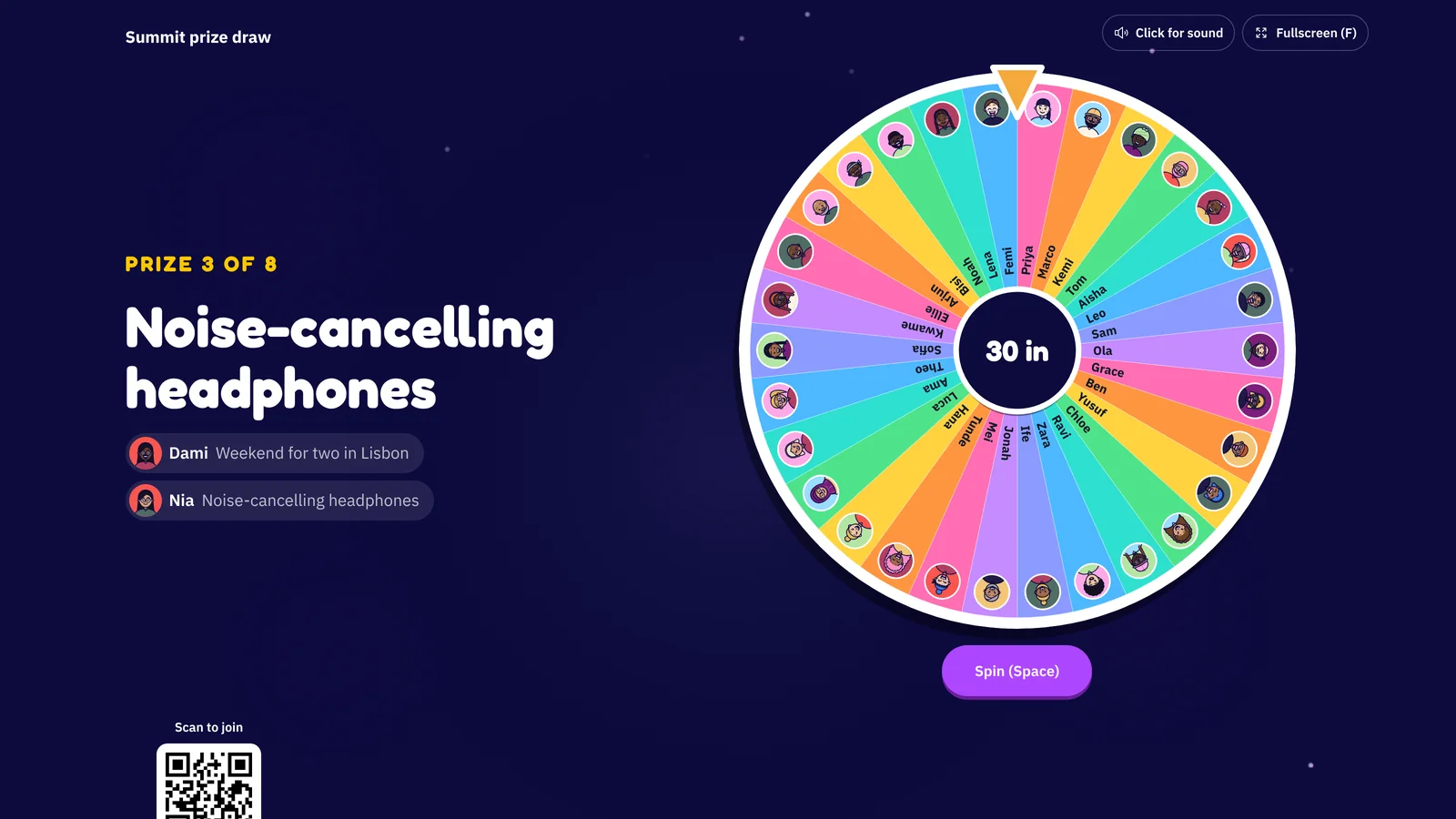
Live draws can pause entries, track awarded prizes and record collection. Check the participant allowance and available draw features for your plan on the pricing page before inviting the room. A selector's animation is a presentation choice, not a reason to skip checking entries and event rules.
If your agenda also includes a corporate event game, keep the transition clear. A game score and entry into a prize draw are different things unless you have explicitly designed and explained a link between them.
Finish with a record, not just applause
After the final reveal, check which prizes have been collected and who owns any remaining follow-up. Keep public recap details limited to what attendees agreed to share. Remove unnecessary working copies of entry lists according to your event's retention policy.
For a small speaking-order exercise, a simple name selector may be enough. For a live event with several prizes, joining and collection deserve as much attention as the reveal.
Explore Neegma's live prize draws and test the whole journey with a colleague before event day.