
Twenty minutes into a mixer, you can usually see it from the door. People are standing in the groups they arrived in. The name badges are on, but nobody is reading them. You know the room would warm up if people just started talking, and you also know that asking a room of strangers to "go and mingle" rarely works.
Bingo for events gives the room a reason to move. On Neegma, every guest gets their own numbers on their phone, and the only way to fill a card is to ask other people for theirs. The first half of the game is a room full of introductions. The second half is a big screen, a ball that drops for everyone at once, and the first full card taking the stage.
Bingo is now an experience you add to an event on Neegma, alongside a Challenge, Live Q&A, a Raffle and Speed Networking. Here is how it plays, and how to run it well.
How Bingo works at an event
The round has two halves, and the phones only show what each half needs.
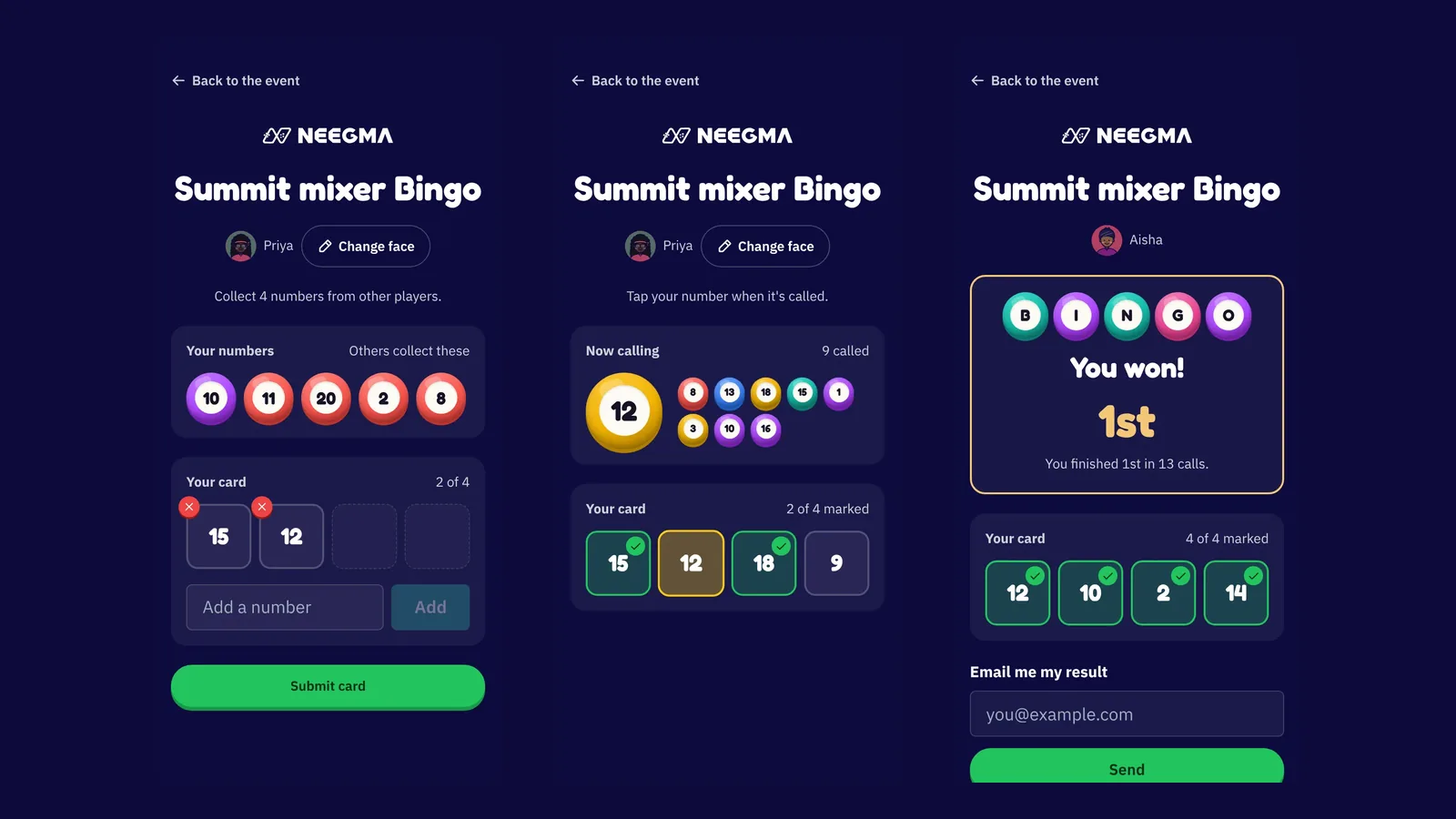
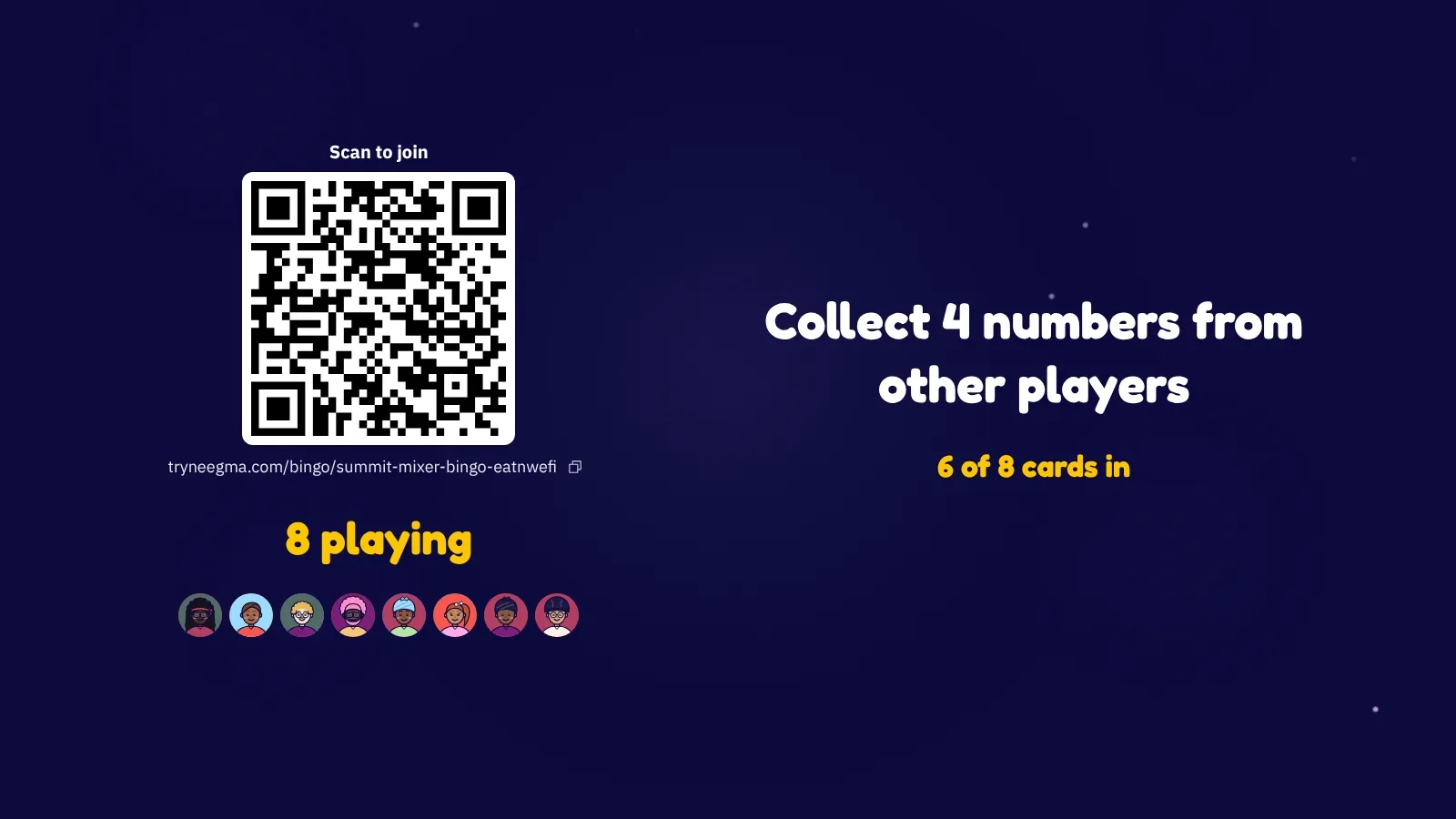
- Everyone joins and gets their numbers. Guests scan the QR code on the big screen or a printed poster, type a name and pick a face. No app and no account. Their phone shows their own numbers under "Others collect these".
- The room collects. Each card needs a set number of numbers, say four. You can't collect your own, so you walk over to someone, ask for theirs and type it in. Repeat with different people until the card is full, then submit it.
- You call. When the cards are in, you start calling. Neegma draws every number for you, so nobody can say the host has favourites. The ball appears on the big screen and on every phone.
- The room marks. Players tap a number on their card when it is called, or you let each call mark the cards that hold it.
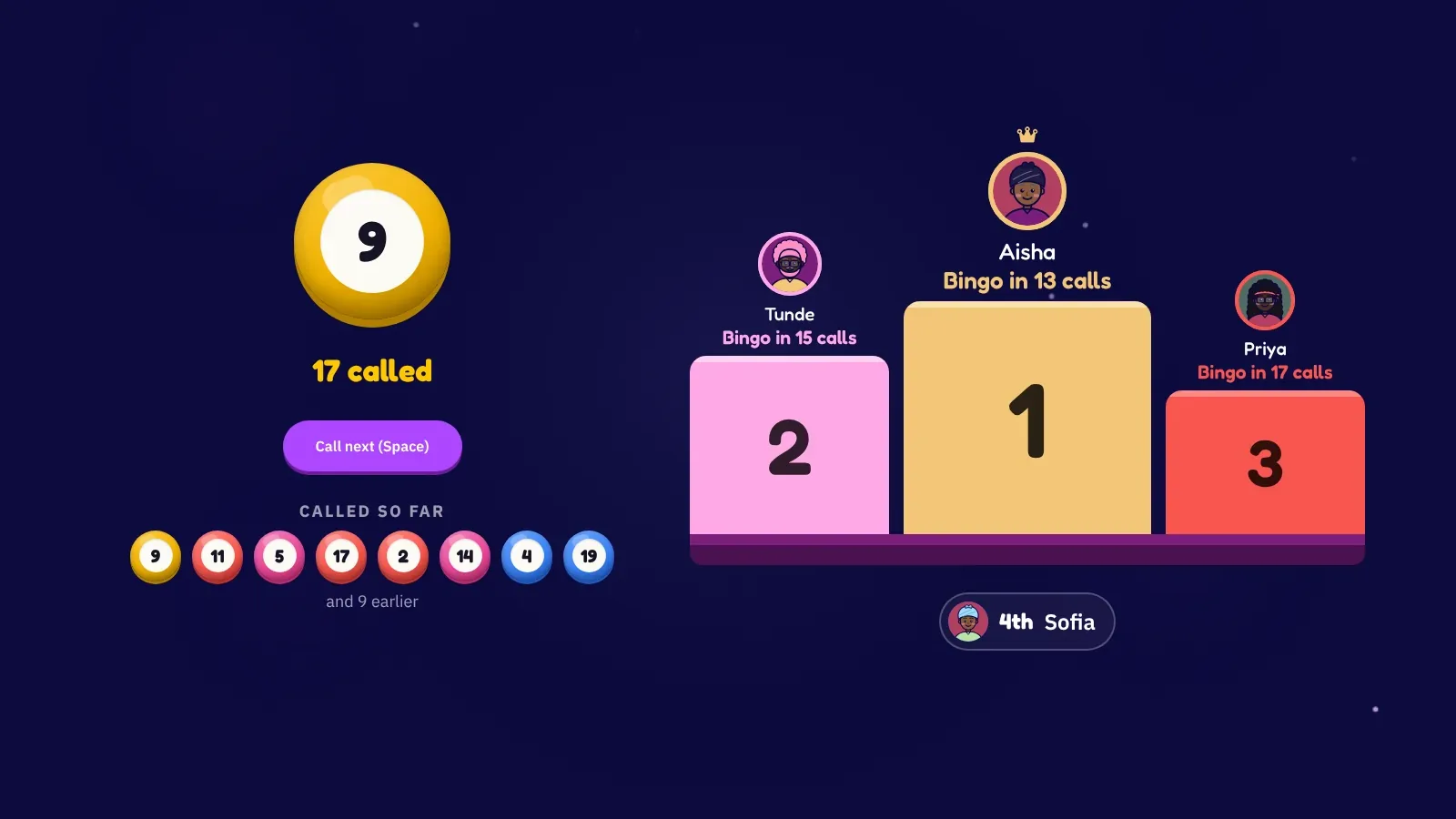
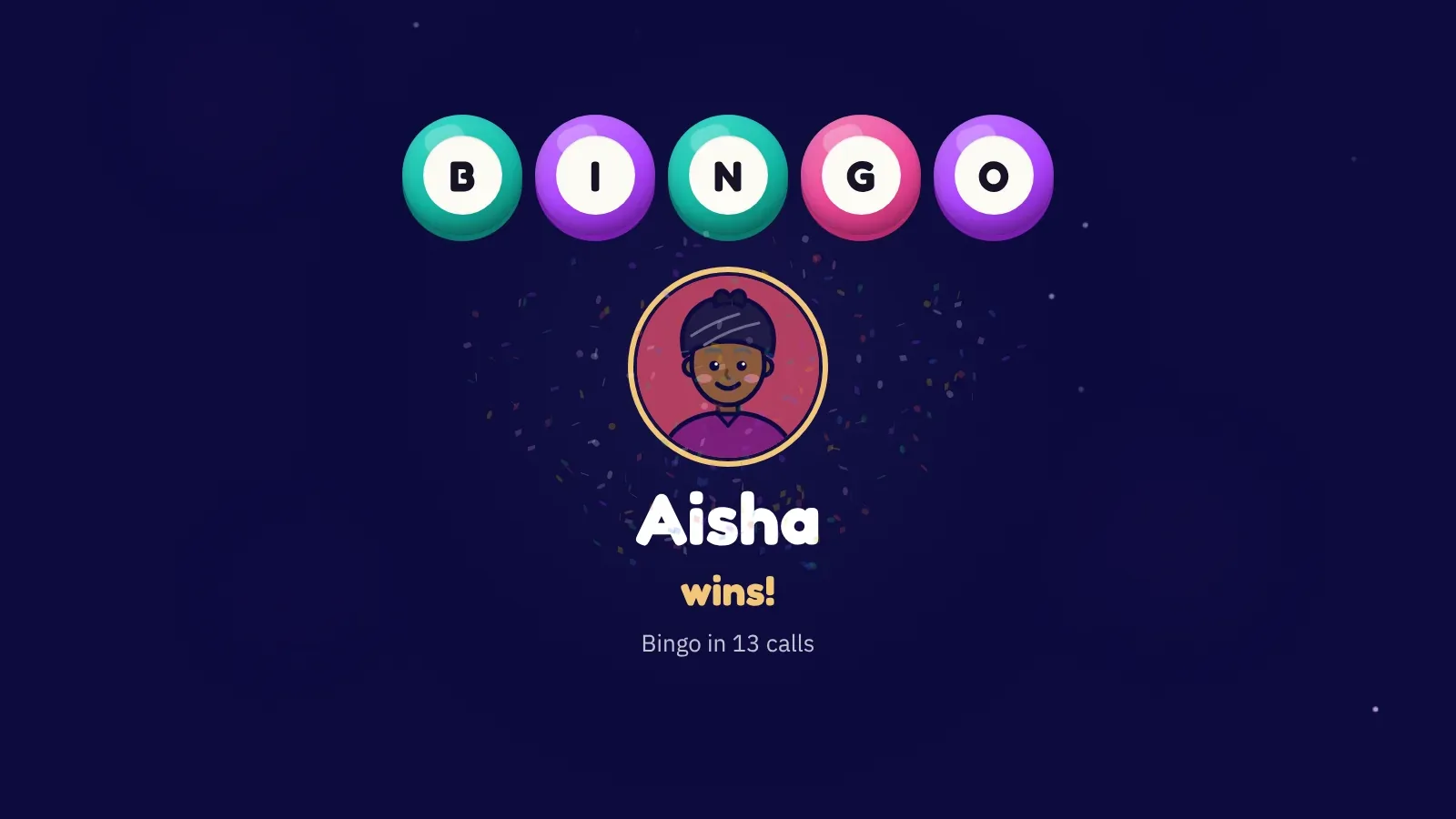
- Bingo. The first full card takes over the big screen with confetti, the player's face and how many calls it took. You can stop there, or keep calling to settle second and third. Once three people have finished, they stand on a podium beside the draw while you keep going.
Why the mingling is the point
Most "networking bingo" is a printed grid of prompts like "find someone who has been to Japan". It works, but it tends to stall at the first few easy squares, and people hunt for answers rather than talk.
Number Bingo is simpler and harder to cheat. Nobody can fill a card from one conversation, because every guest holds the same small share of numbers. In a room of twenty playing to four, each person holds one number, so filling a card means four separate introductions. Nobody becomes the one stop the whole room crowds around.
It also gives shy guests an easy opener. "What's your number?" is a much smaller ask than "Tell me about yourself".
Setting it up in under two minutes
Open your event in the dashboard, choose Add an experience, then Bingo. The form asks four things:
- Name, such as "Welcome mixer Bingo".
- People you expect. This is an estimate, not a door. It decides how many numbers each guest gets and how wide the numbers start, so ten people play with numbers 1 to 10 rather than 1 to 1,000.
- Numbers on a card, from 3 to 12. Fewer makes a five-minute energiser. More keeps people moving for a whole networking hour.
- When a number is called: players tap it themselves, or it marks itself on every card that holds it.
Leave Open cards now off if you want to open the door yourself on the day. The Bingo sits on your event page, ready, with its own poster and QR code to print for tables and the entrance.
What if the numbers are wrong on the day?
This is the fear every event host has: you plan for fifty, and either eighty arrive or twelve do. Bingo is built for both.
More people than you expected can still join, up to your plan's guest limit. Latecomers are dealt numbers that nobody else holds, and nobody's card changes.
Fewer people than you expected means each guest's share was dealt for a bigger room, so there may not be enough numbers going round for every card to fill. Your host screen tells you, in plain words, and offers Deal more numbers. One press gives everyone the same extra numbers, nothing collected so far is lost, and phones show the new numbers within a few seconds. If more people are on their way, you can wait instead.
The door closes once you start calling, so everyone who plays was dealt in before the first ball.
Calling from the stage
You can run the whole draw from your laptop or phone, but most hosts call from the big screen. Press Call next, or tap the Space key, and the next ball drops for the room. The screen holds off the next call while a winner has the stage, so every finish gets its moment.
Calls come from the numbers people actually collected, with a few that nobody collected, so the room never sits through a long run of misses but still groans now and then. With sound on, the big screen plays its own Bingo music under the calls, chimes for every ball and celebrates every finish.
Two small rules keep the result fair:
- Players tap: the first person to mark their last number takes the place.
- Marks itself: cards that the same call fills share the place, so two people who finish together are both first.
A 25-minute running order
- Before doors (2 minutes). Put the big screen up on the join tile and the poster on the tables.
- Arrivals (5 minutes). Open entries as people arrive. Let the faces fill the screen.
- Collecting (10 to 12 minutes). Explain once: "Collect four numbers from four different people, then press Submit." Then get out of the way. Watch the "cards in" count on the screen.
- Calling (5 to 8 minutes). Start calling when most cards are in. Anyone still collecting keeps the numbers they have.
- Podium (1 minute). End it with the top three on the screen, and hand out prizes if you have them.
Run it as the opener, and the people in the room are already talking when your next session starts.
Running it in Neegma
Your host screen shows how many have joined, how many cards are in, the last ball, how many numbers are left to call and each player's progress. You can pause new joins, remove a stale entry or edit the name at any time.
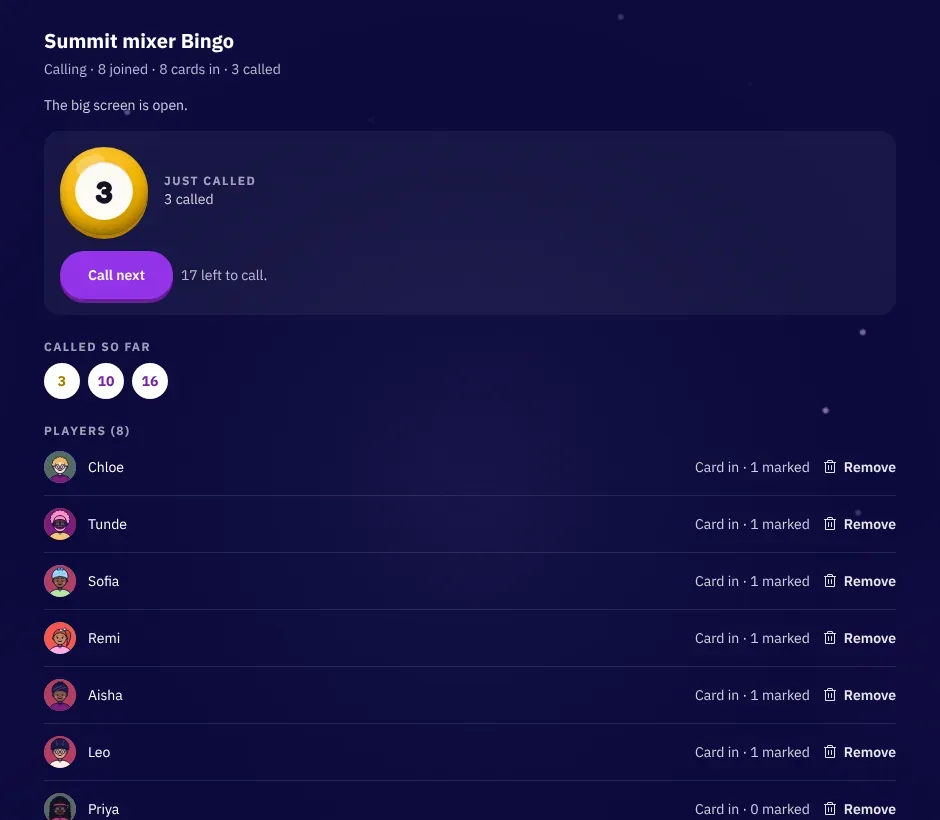
When it ends, the result stays with the event. It appears in the event report, you can download everyone's progress as a CSV, and finishers can keep their place on their own Neegma account or email it to themselves.
Bingo comes with every paid plan, on a Personal or Business account. A Party Pass unlocks it for 24 hours, and Pro and Enterprise keep it on.
Questions hosts often ask
How many people can play Bingo on Neegma?
From 2 people up to your plan's guest limit, and at most 1,000 in one Bingo. The number you enter is an estimate, so more people than you expected can still join.
Do guests need to download an app?
No. Guests scan a QR code or open a link in their phone's browser, type a name and play. If they lock their phone or close the tab, they open the link again and their card is still there.
Can I run Bingo without a projector?
Yes. Every called number appears on every phone, and you can call from your own screen. The big screen makes the moment bigger, but the game works without one.
How long does a round take?
About 20 to 25 minutes with four numbers a card: around ten minutes of collecting and five to eight of calling. Raise the card size for a longer networking session.
What happens if someone leaves mid-game?
Their card stays as it is. Numbers they gave out still count for everyone who collected them, so nobody else loses progress.
Add Bingo to your next event, see how it fits with Speed Networking and Live Q&A, or read the Event Playbook for a whole programme built around games.